

1. Prerequisites
Before installing Robot Framework, make sure you have:
1. Python (version 3.8 or above)
2. pip (Python’s package manager)
If Python is not installed, download it from python.org/downloads
Check our tutorial for a complete Python installation and PATH setup guide: Python Installation
You can also read our Python Basics tutorial to get started.
2. Install Robot Framework
You can install Robot Framework easily using pip: pip install robotframework
To verify the installation: robot --version
3. Setting Up an IDE
You can write and run Robot Framework tests using:
- RIDE (Robot Framework IDE)
- Visual Studio Code with the RobotCode extension
- PyCharm with the Robot Framework Language Server
In this tutorial, we’ll use Visual Studio Code (VS Code).
Set up in VS Code:
1. Install VS Code
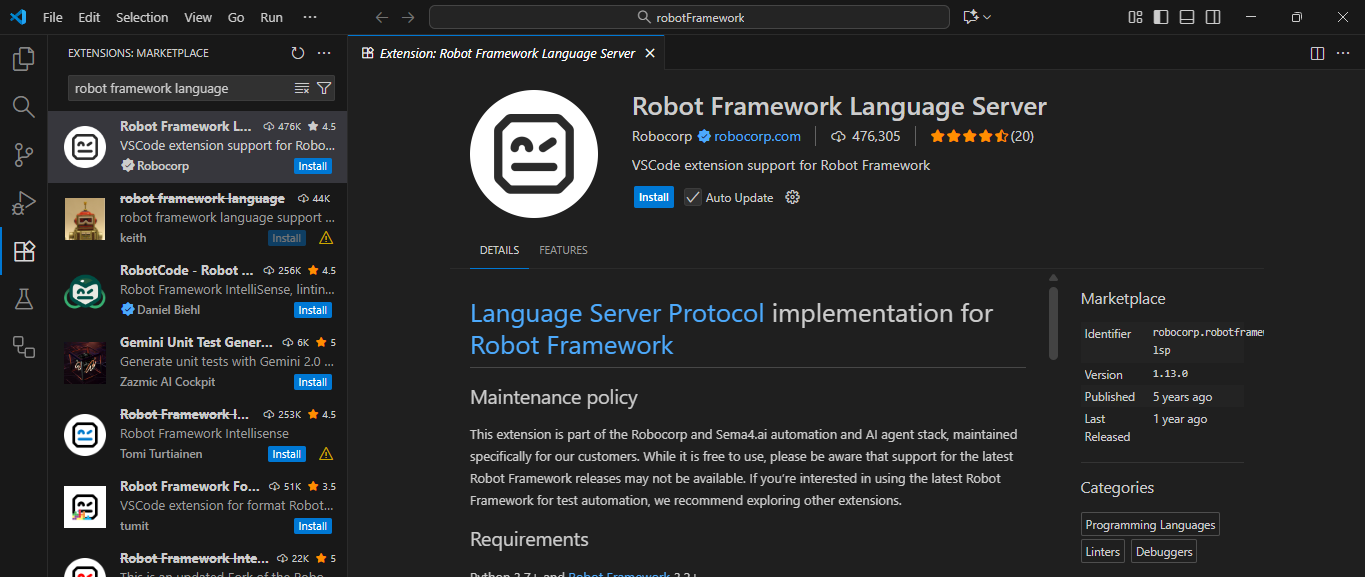
2. Go to Extensions and search for: “Robot Framework Language Server”
3. Install it to enable syntax highlighting, auto-completion, and test execution support.
4. Supported Libraries Overview
Robot Framework supports multiple libraries for different types of automation.
|
Category |
Library Name |
|
Web Automation |
SeleniumLibrary |
|
Mobile Automation |
AppiumLibrary |
|
API Testing |
RequestsLibrary |
|
Database Testing |
DatabaseLibrary |
|
OS Automation |
OperatingSystem |
|
Data Handling |
Collections |
|
Core Keywords |
BuiltIn |
|
Visual Testing |
Screenshot / Selenium |
|
Data Validation |
JSONLibrary / XML |
|
Server Automation |
SSHLibrary |
For now, let’s start with Web Automation using SeleniumLibrary.
SeleniumLibrary – for Web Automation
SeleniumLibrary is used to automate browsers such as Chrome, Edge, or Firefox.
Install SeleniumLibrary: pip install robotframework-seleniumlibrary
Download the browser drivers from
- Chrome → https://chromedriver.chromium.org/
- Edge → https://developer.microsoft.com/en-us/microsoft-edge/tools/webdriver/
Note: With Selenium 4 and above, the built-in Selenium Manager can automatically handle driver downloads and configuration in most environments, so manual setup is often unnecessary.