

The Specflow scripts can be executed in a Visual Studio IDE and in command line.
Run Through Visual Studio:
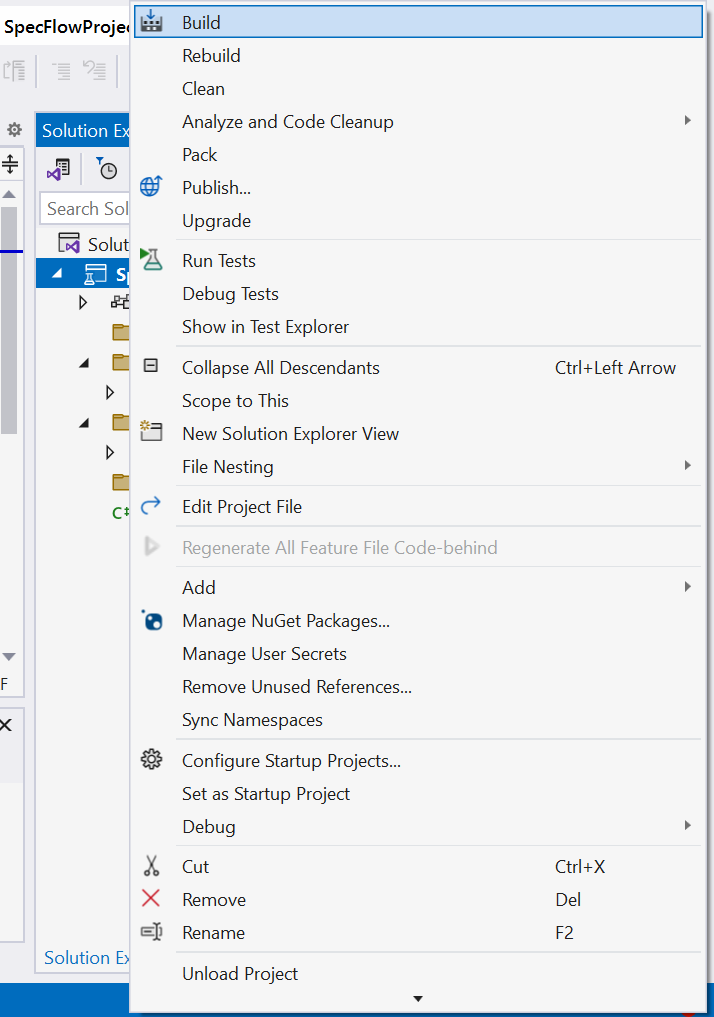
1. Right click on Project and Build the solution always.
2. Navigate to Test - > Test Explorer
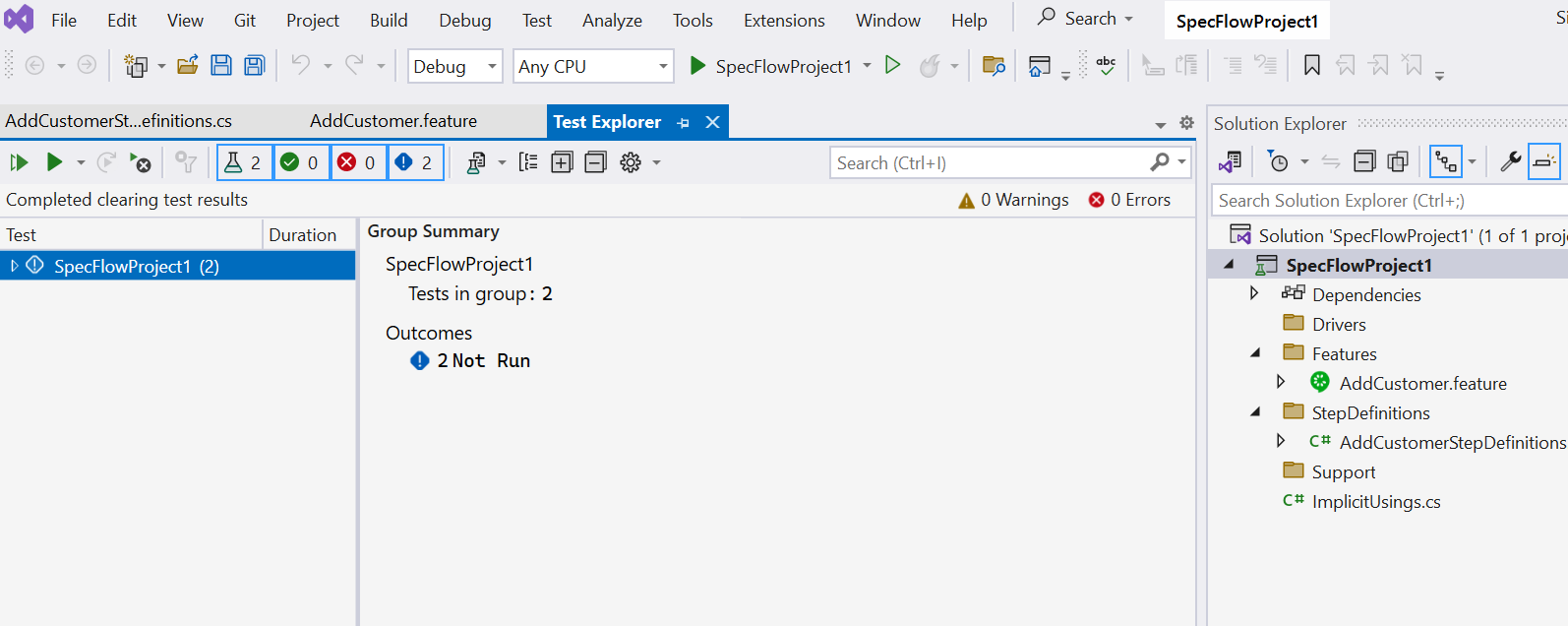
3. Expand the Test
4. Select any test , right click -> Run.
5. The Scripts will be executed.
Run through command line:
We can execute the test in command line through Nunit / MsTest / SpecRun . Below commands for Specflow with Nunit
1. Install the Nunit3-console https://github.com/nunit/nunit-console/releases
2. Add the path of the downloaded Nuni3-console if it is Zip file.
3. Now execute the command nunit3-console, if throws the options then Nunit3 is installed perfectly.
4. Navigate to the project folder, {workspace}\bin\Debug\net6.0 (based on the framework)
Command:
To run all the test
nunit3-console {projectname}.dll
To run the test with Tag
nunit3-console {projectname}.dll --where "cat == tagname"
To run the paritcular feature file
nunit3-console SpecFlowProject1.dll --where "Description ='{featureName}'
To run the paritcular feature file with Tag Name
nunit3-console SpecFlowProject1.dll --where "Description =='AddCustomer' and cat == smoke"
To run the particular feature file with scenario name
nunit3-console SpecFlowProject1.dll --where "Description =='{featurename}' and Description == '{scenarioname}'"