A Step Definition is a method, mapping between each Gherkin steps with the code function. When the Specflow scripts are executed a Gherkin step in a scenario will look for a matching step definition to execute.
Example :
Feature: Add customer
Scenario: User login and Add the customer
Given user navigate the url in the browser
When user select the manager login
And add the customer with "username", "lastname", "postcode"
Then verify the success message with customer Id
Then verify the added customer displayed in Customers Tab
How to write the Step definition for the Gherkin step:
Create the folder "Features" and "StepDefinitions" in the Solution Explorer
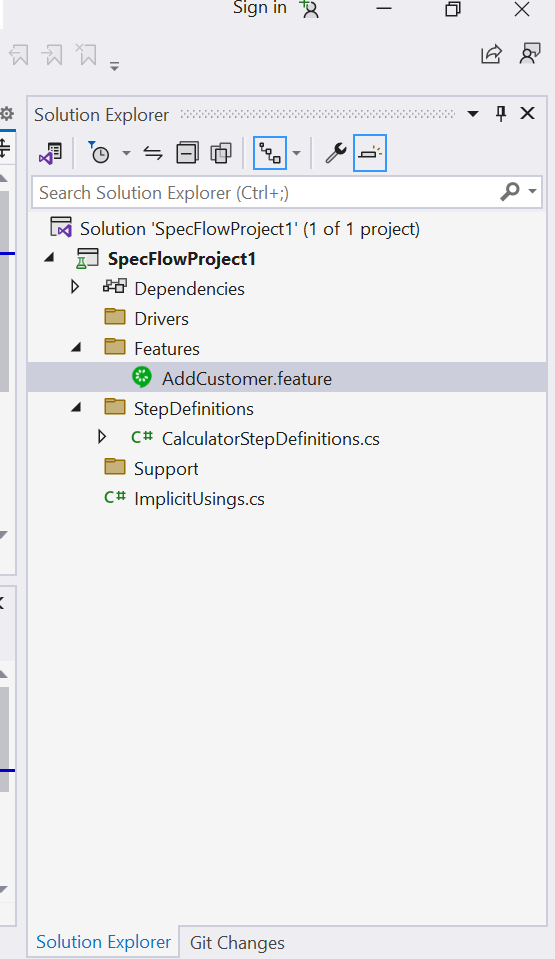
Right click on Step definition and Click Define Steps
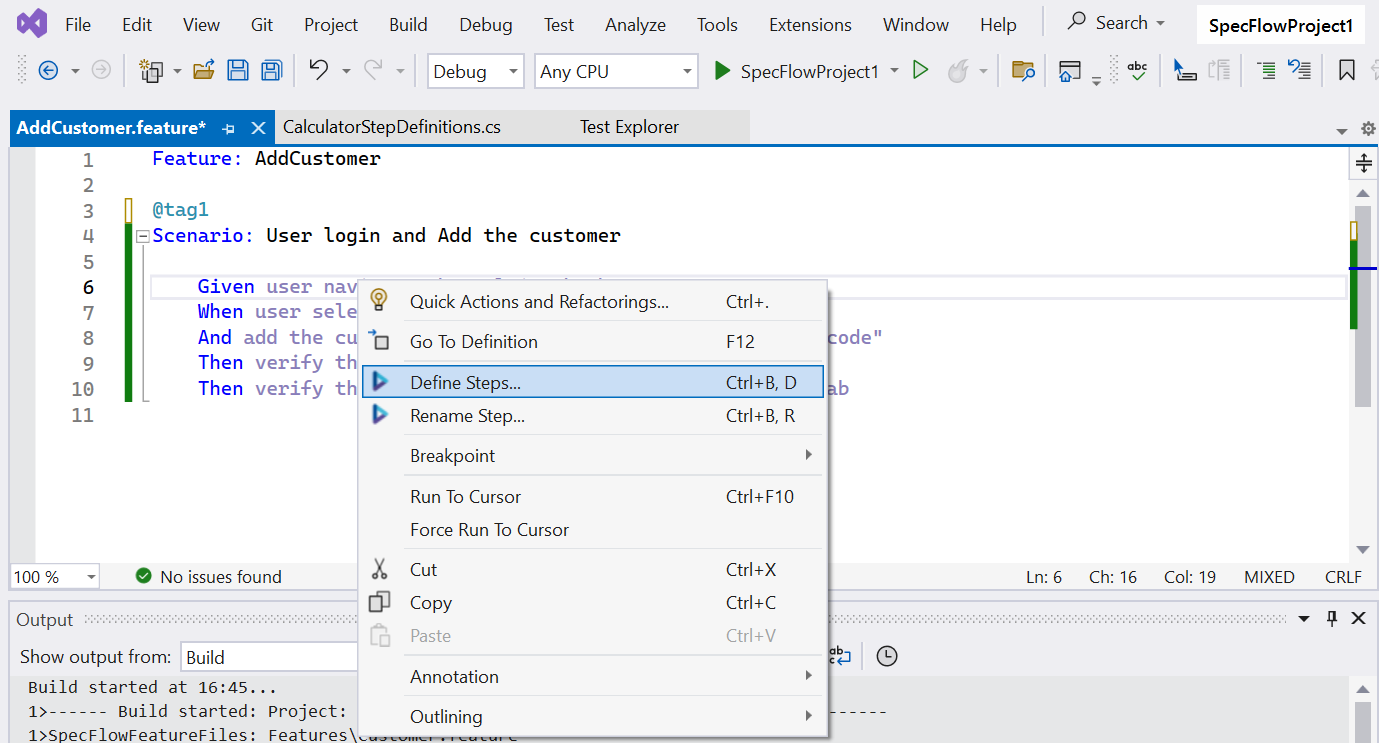
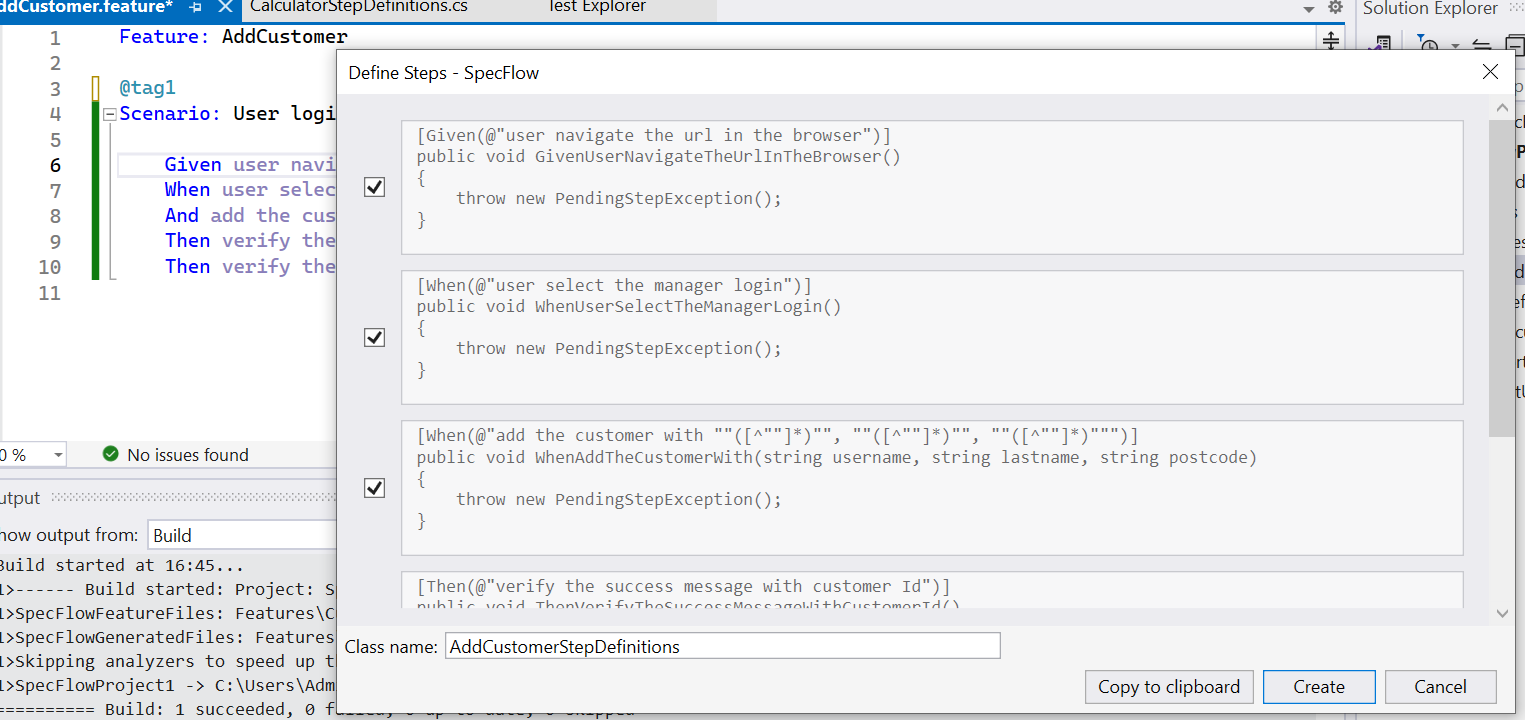
Click Create , the definitions will be generated with the class name AddCustomerStepDefinitions
The other easy method to generate the step definition , we can simply run the Feature file without generating the step definition. The Specflow will throw an error with the syntax to generate the step definition. We can copy and paste in the class file.
Example: Create the feature file Customer.feature with the below structure
Feature: Add customer
Scenario: User login and Add the customer
Given user navigate the url in the browser
When user select the manager login
And add the customer with "username", "lastname", "postcode"
Then verify the success message with customer Id
Then verify the added customer displayed in Customers Tab
and run this feature file Test -> Test Explorer , specflow will throw the error to implement the steps.
Step undefined
No matching step definition found for one or more steps.
using System;
using TechTalk.SpecFlow;
namespace MyNamespace
{
[Binding]
public class StepDefinitions
{
private readonly ScenarioContext _scenarioContext;
public StepDefinitions(ScenarioContext scenarioContext)
{
_scenarioContext = scenarioContext;
}
[Given(@"user navigate the url in the browser")]
public void GivenUserNavigateTheUrlInTheBrowser()
{
_scenarioContext.Pending();
}
[When(@"user select the manager login")]
public void WhenUserSelectTheManagerLogin()
{
_scenarioContext.Pending();
}
[When(@"add the customer with ""(.*)"", ""(.*)"", ""(.*)""")]
public void WhenAddTheCustomerWith(string username0, string lastname1, string postcode2)
{
_scenarioContext.Pending();
}
[Then(@"verify the success message with customer Id")]
public void ThenVerifyTheSuccessMessageWithCustomerId()
{
_scenarioContext.Pending();
}
[Then(@"verify the added customer displayed in Customers Tab")]
public void ThenVerifyTheAddedCustomerDisplayedInCustomersTab()
{
_scenarioContext.Pending();
}
}
}
copy the above code , remove the exception line " _scenarioContext.Pending();" and create a new class "CustomerStepDefinitions" and paste the above lines . Now step defintions are ready
package StepDefinitions;
using System;
using TechTalk.SpecFlow;
namespace MyNamespace
{
[Binding]
public class CustomerStepDefinitions
{
private readonly ScenarioContext _scenarioContext;
public StepDefinitions(ScenarioContext scenarioContext)
{
}
[Given(@"user navigate the url in the browser")]
public void GivenUserNavigateTheUrlInTheBrowser()
{
}
[When(@"user select the manager login")]
public void WhenUserSelectTheManagerLogin()
{
}
[When(@"add the customer with ""(.*)"", ""(.*)"", ""(.*)""")]
public void WhenAddTheCustomerWith(string username0, string lastname1, string postcode2)
{
}
[Then(@"verify the success message with customer Id")]
public void ThenVerifyTheSuccessMessageWithCustomerId()
{
}
[Then(@"verify the added customer displayed in Customers Tab")]
public void ThenVerifyTheAddedCustomerDisplayedInCustomersTab()
{
}
}
}