

Playwright provides a built-in test recording tool called Codegen, which allows you to record browser interactions and automatically generate Playwright test scripts. Codegen is extremely useful for beginners who are new to Playwright, as well as for quickly creating test scripts and understanding Playwright syntax.
To start the Playwright Codegen tool, run the command: npx playwright codegen, in playwright root folder.
This command opens two windows:
- A browser window, where you interact with the application
- A Playwright Inspector window, which shows the Playwright code being generated in real time
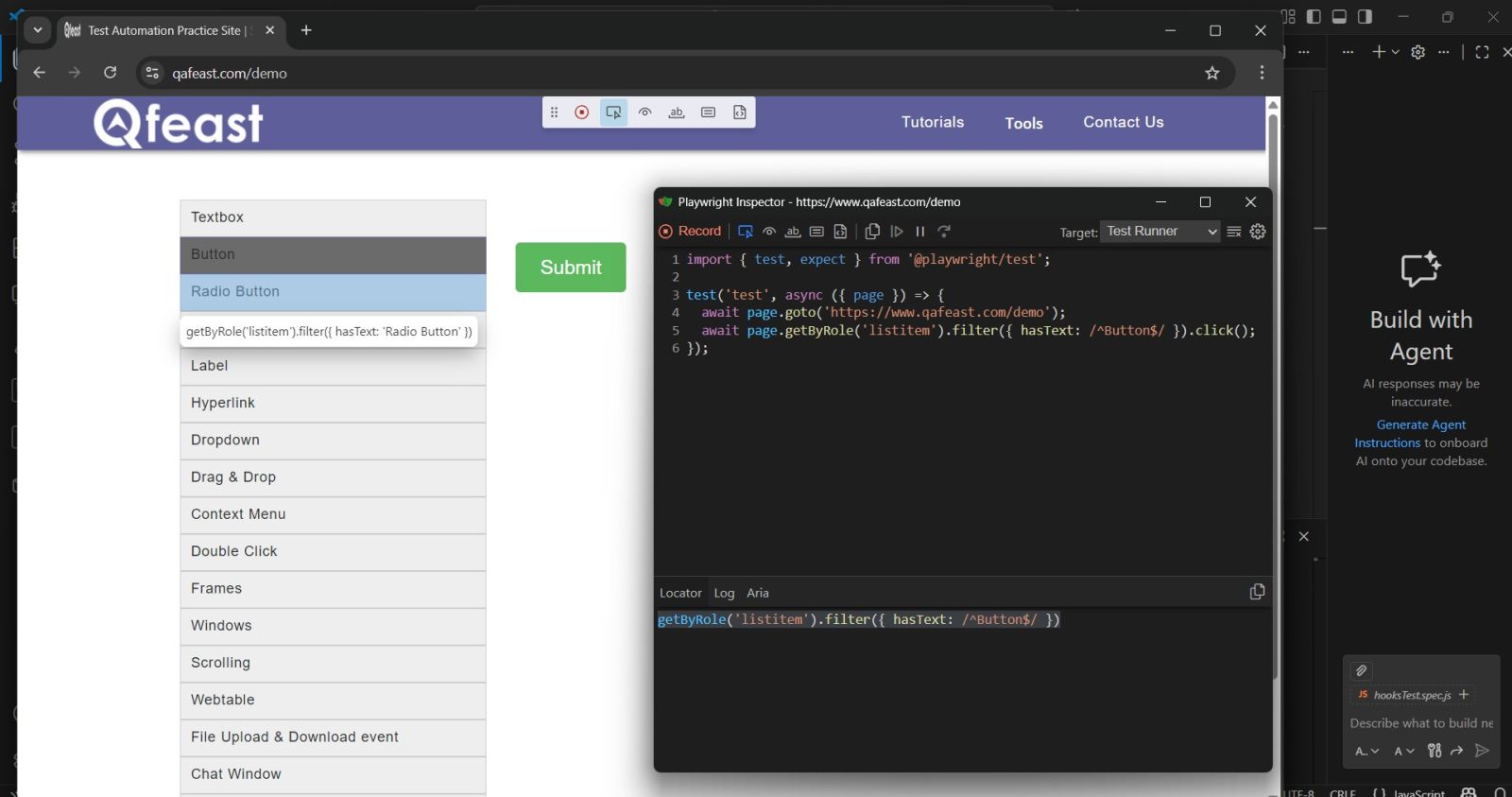
Recording a Test for a Specific Website
You can also start recording directly on a specific website by passing the URL to the Codegen command: npx playwright codegen https://qafeast.com. In this case, the browser opens the given website immediately, and Playwright starts recording all actions from the beginning.
How Recording Works
Once the browser opens, Playwright automatically starts recording your actions. You can interact with the application normally by clicking buttons, entering text, navigating pages, and submitting forms.
Every interaction you perform in the browser is recorded and converted into Playwright test code in the Inspector window.
In addition to actions, you can also add assertions using the Codegen Inspector. These assertions help validate things such as element visibility, text content, and page URLs, which are essential for creating meaningful tests.
When to Use Playwright Codegen
Playwright Codegen is especially useful for:
- Learning Playwright syntax
- Quickly generating test scripts
- Recording simple test scenarios
- Understanding how locators work
However, Codegen also has certain limitations.
The generated code may include extra steps, and the automatically generated locators may need manual refinement to make them more stable and readable.
Because of this, Codegen is best used as a starting point rather than a final solution. For large-scale automation projects and long-term test suites, it is recommended to write and maintain tests manually using proper design patterns such as the Page Object Model.